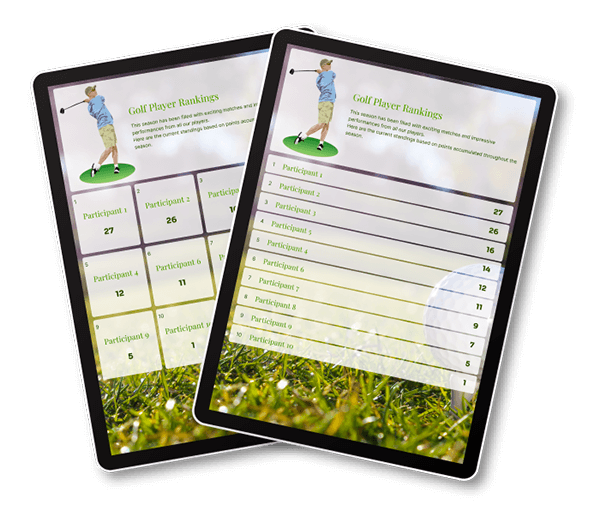
Rank what you want (sports, games, competitions, and more)
Make your own online leaderboard
Effortlessly share live results via a link
500,000+ boards created • Trusted worldwide

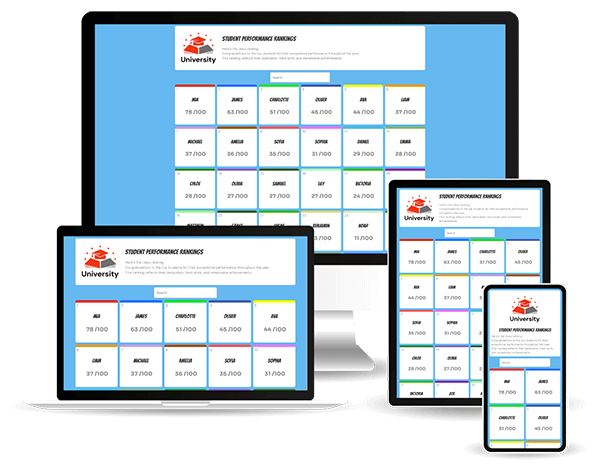
Everything runs smoothly right from your web browser—no downloads or installations needed. Whether you’re using a desktop, laptop, smartphone, or tablet, you can effortlessly create, customize, and manage your online leaderboard on any device for a seamless and intuitive experience.
If you’re planning a competition, overseeing team rankings, or keeping track of progress in any activity, our leaderboard maker is thoughtfully designed to adapt to your needs. It simplifies the process of managing rankings while ensuring a smooth and stress-free workflow.
Creating an engaging leaderboard can transform simple rankings into powerful motivational tools that drive performance and enhance user engagement. With ScoreLeader, you can design leaderboards that not only track scores but also reflect your brand’s unique style, connect with diverse audiences, and deliver an impactful experience.
When you choose ScoreLeader, you’re choosing a tool that makes scorekeeping both visually engaging and highly functional. Start building your custom leaderboard today—no sign-up required—and experience the difference ScoreLeader can bring to your event, organization, or personal goals.


Start instantly. No account needed.
An online leaderboard maker is a tool that lets you create and manage rankings directly in your web browser. Add participants, enter their scores, and display their ranking on a clear, shareable leaderboard.
With ScoreLeader, you can create and manage leaderboards online from any device, with no software or app installation required.
You can use leaderboards to rank participants in sports, games, competitions, classroom activities, sales challenges, team events, community contests, and many other activities.
Whether you’re tracking points, performance, or progress, ScoreLeader makes it easy to keep everyone ranked in one place.
Simply create a leaderboard, add your participants, and enter their scores. You can configure the ranking and sorting options to suit your activity and customize the appearance of your board.
No sign-up is required to get started. Once your leaderboard is ready, you can manage and update it directly from your web browser.
ScoreLeader leaderboards can include up to 1,000 participants, making them suitable for everything from small competitions and classroom activities to large events and challenges.
ScoreLeader automatically ranks participants according to the scores and sorting options you configure.
As scores change, the ranking is updated automatically, making it easy to see where each participant stands.
Yes. When you update a score, your leaderboard updates in real time so participants and spectators can follow the latest rankings without refreshing the page.
You can manage scores from your computer, smartphone, or tablet.
Yes. You can share your leaderboard using a public link or QR code. Anyone with the link can view the latest rankings without needing a ScoreLeader account.
This makes it easy to share results with participants, colleagues, students, spectators, or friends.
Yes, with Premium. Shared access links let you give other people access to your leaderboard so they can manage it from their own devices without sharing your ScoreLeader account.
This is useful for teams, competitions, classrooms, events, and other activities managed by multiple people.
Yes. Open your ScoreLeader leaderboard in a web browser to turn a TV, computer, or projector into a live ranking display.
It’s ideal for office competitions, classrooms, sports events, challenges, and other activities where you want participants to see the latest standings at a glance.
Yes. You can embed your ScoreLeader leaderboard directly on your website using an iframe.
The embedded leaderboard displays the latest rankings directly on your website, without requiring visitors to open a separate page.
Spreadsheets can track scores and rankings, but online leaderboards are designed to make them visual, live, and easy to share.
With ScoreLeader, rankings update automatically as scores change, and your leaderboard can be shared through a public link or QR code, displayed on a large screen, or embedded on a website — without building formulas or formatting a spreadsheet.
Yes. ScoreLeader offers a free version with the essential tools you need to create and manage online leaderboards.
You can create unlimited boards, customize colors, configure sorting and ranking options, update scores in real time, share a public link or QR code, and export your results.
Free boards remain publicly accessible for 10 days. Premium adds features such as extended public access, custom branding, an ad-free experience, shared access links, and custom public links.